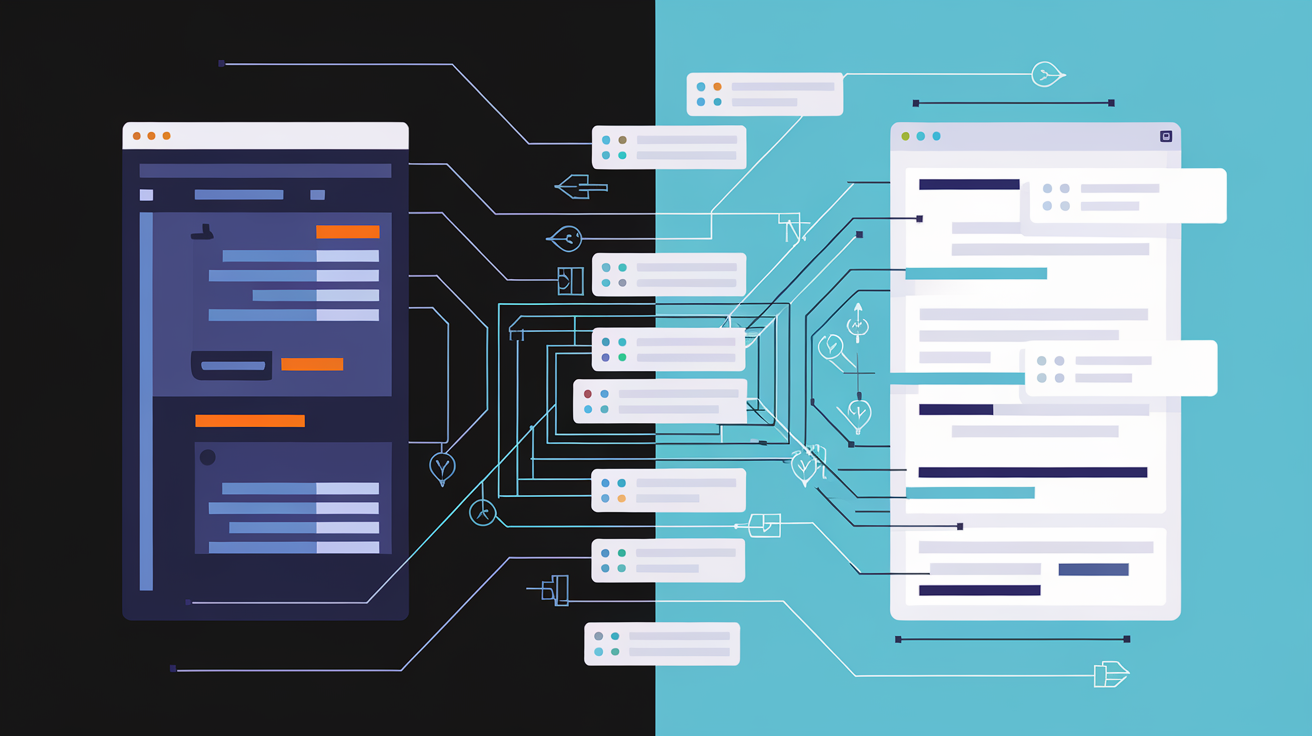
Build vs. Buy Software: A Small Business Guide
How to Know When Off-the-Shelf SaaS Has Hit Its Ceiling and Custom Software Is Worth the Investment
Most small businesses don't make a conscious decision to stay with software that's holding them back. The build vs. buy software small business problem creeps in quietly — one workaround at a time, one manual export at a time, until the tools that were supposed to save you time are costing it instead. This guide gives you a framework to make that call clearly, without bias toward either side.
The Real Problem With 'Good Enough' Software
You didn't notice when it started. One spreadsheet to supplement your CRM. One manual step to clean up a report before you could read it. Then another. Then three more.
This is how most small businesses outgrow their tools — not in a single moment, but gradually, until the maintenance overhead of your software stack becomes its own part-time job.
SMBs now juggle an average of nine cloud tools, and data silos invite manual re-entry, errors, and compliance risk. The monthly subscription fees are visible. The hours spent connecting, cleaning, and compensating for what those tools don't do — those aren't on any invoice.
Nearly 50% of SaaS licenses go unused for 90 days or more, leading to unnecessary spending and an expanded security attack surface. The waste isn't just financial. It's operational. And while SaaS seems cheaper upfront, real costs pile up through integration work, onboarding, and vendor lock-in.
This post is a decision framework, not a pitch for custom software. Sometimes buying off-the-shelf is still the right answer. The goal is to help you know the difference before the problem gets expensive.
What 'Build vs. Buy' Actually Means for a Small Business
Buy means any pre-built software you subscribe to or license — SaaS products, vertical-specific platforms, marketplace tools. You configure them to fit your workflow as best you can, and you accept the gaps.
Build means custom software developed specifically for how your business operates. That could be a full application, a targeted internal tool, an automation layer, or a tailored integration between systems you already use.
The important thing: this isn't a binary choice. There's a spectrum. Heavily configured SaaS, custom integrations, and low-code/no-code builds all sit between the two extremes. The question is where on that spectrum your specific problem lives.
This decision is harder for small businesses than for enterprises. Smaller budgets mean less room for error. No dedicated IT team means you wear the consequences yourself. And most SaaS vendors market to everyone, which means their product solves the average problem — not yours. For more on navigating the tool landscape from a different angle, see our guide to choosing the right AI tools for your business.
Signs You Have Outgrown Your Current SaaS Tools
If more than two or three of these apply to your business, you have likely hit the ceiling of what off-the-shelf software can do for you at a reasonable cost:
- You are maintaining a spreadsheet or manual process alongside your SaaS tool to make it actually work
- Your team has built a tribal knowledge system around the tool's limitations — workarounds that only one or two people know how to navigate
- You are paying for three or more tools that partially overlap because none of them fully covers your workflow
- Reporting requires a manual export, a cleanup step, and a rebuild in another tool before the numbers are usable
- You have requested the same feature from your vendor multiple times and it is either on a roadmap that never moves or simply not coming
- Onboarding new employees to your software stack takes longer than onboarding them to the actual job
- Your data is fragmented — customer history in one tool, invoices in another, communications in a third, with no single view of truth
- You are hitting usage limits, seat caps, or feature paywalls that require upgrading to a plan built for a company ten times your size
Seven in ten organizations report "tool overlap" in SaaS usage. If that describes your stack, you are not alone — but staying there has a cost.
When to Keep Buying: Off-the-Shelf Is Still the Right Call
Not every pain point justifies a custom build. Here is when staying with SaaS is the smarter move:
The problem is already solved well. Payroll, basic accounting, email marketing, scheduling — these are commoditized problems with mature solutions. Building custom software in these categories rarely makes financial sense for a small business.
You are early stage. If your processes are still changing every few months, building too early locks in workflows before you know what actually works. Custom software encodes your process. If that process is still evolving, you will be rebuilding within a year.
The workaround cost is acceptable short-term. If your SaaS vendor's roadmap will address your pain point within 6–12 months and the interim workaround costs less than a custom build, wait it out.
Configuration is the actual solution. Sometimes what looks like a software limitation is a configuration gap. Before assuming you need to build, exhaust what your current tools can actually do. A good implementation partner can often unlock capabilities you did not know existed.
Decision filter: If a tool does 80% of what you need and the remaining 20% does not directly touch revenue, operations, or customer experience — keep buying. For further reading on where to focus your automation efforts before investing in custom tooling, see our guide to which business tasks are worth automating first.
When to Build: The Conditions That Make Custom Software Worth It
These are the conditions where a custom build earns back its cost:
- Your workflow is a genuine competitive differentiator. The way you do things is part of why customers choose you. Generic software flattens that advantage by forcing you into the same process as everyone else using the same tool.
- The manual workaround cost is measurable and recurring. Calculate hours per week spent on the gap. Multiply by loaded labor cost. Annualize it. Then compare that number to a realistic build estimate with a 2–3 year horizon.
- You have a high-volume repeatable process. A small improvement in each cycle — fewer clicks, no manual handoff, no re-keying data — compounds into significant time or revenue at scale.
- Data consolidation is a recurring bottleneck. If you are making decisions slowly or badly because you cannot get a clean picture from your current stack, that is an operational liability, not just an inconvenience.
- Compliance requirements do not map to off-the-shelf options. If the gap creates real legal or operational risk, the cost of a custom build is easier to justify.
- You have already maxed out configuration options. If you have pushed your current tools to their limit and are still not where you need to be, more SaaS is not the answer.
- Your core processes are stable and repeatable. Custom software is most valuable when it encodes something proven — not an experiment still in flux.
The global custom software development market was estimated at USD 43.16 billion in 2024 and is projected to reach USD 146.18 billion by 2030, growing at a CAGR of 22.6%. That growth is not driven by enterprises alone. Startups and SMEs are increasingly investing in custom software to scale effectively. Unlike larger enterprises that often rely on off-the-shelf solutions, SMEs require flexible and scalable applications to streamline their operations and remain competitive. Custom solutions also enable SMEs to differentiate themselves with unique business models, improved customer interaction, and streamlined workflows.
The Decision Framework: Four Questions Before You Commit
Work through these before committing to either path:
Question 1 — What does the problem actually cost? Quantify the current pain in measurable terms: hours per week, error rate, deal velocity, customer churn, or revenue delayed. If you cannot put a number on it, you cannot evaluate a solution rationally. This is the most skipped step in the process.
Question 2 — Is this problem unique to your business, or just underserved by the market? Unique problems justify builds. Underserved problems often mean a better SaaS exists that you have not found yet. Do honest market research before assuming no tool can solve it.
Question 3 — Will your process be stable for the next 18–24 months? Custom software is most valuable when it encodes a repeatable, proven workflow. If your process is still changing, you will spend the build budget maintaining, not advancing.
Question 4 — What is the realistic total cost of ownership for each path? Compare over a 3-year horizon. On the buy side: subscription fees, integration costs, migration costs when you eventually switch, and hours lost to workarounds. On the build side: development cost, maintenance, iteration, and the ramp-up period before the tool delivers value.
Scoring method: Run each option through these four questions and score it 1–5 on cost justification, uniqueness of the problem, process stability, and 3-year TCO. The option with the higher total score wins — not the one that feels safer or sounds more impressive.
The Hidden Costs Most Small Business Owners Miss on Both Sides
Both paths have costs that do not show up on the first estimate.
Buy side: Per-seat pricing that scales against you as you grow. Data migration costs when you eventually switch vendors. Features you pay for but never use. Nearly 70% of organizations reported going over their cloud budgets in recent years, largely due to unanticipated SaaS spending.
Build side: Scope creep. Maintenance as your business changes. Documentation and knowledge transfer risk if the original developer is unavailable. The ramp-up time before the tool is actually delivering value rather than consuming it.
The integration tax is real on both sides. An online seller may need CRM, e-commerce, accounting, marketing automation, and support software to talk to each other. Middleware connectors and iPaaS platforms have emerged, but configuration still demands skills that few small firms possess. Every tool you add to your stack creates a new potential breaking point. APIs change. Automations fail. Someone on your team becomes the unofficial tool administrator.
Opportunity cost cuts both ways. A bad SaaS choice costs you time. A premature custom build costs you both time and money.
A Practical Example: What This Framework Looks Like in Action
Consider a 12-person service business running separate tools for CRM, project management, invoicing, and client reporting. There is a manual step connecting each one. A team member exports from the CRM every Monday, reformats the data in a spreadsheet, and pastes it into the reporting tool. This takes about four hours per week.
Apply the four questions:
- Cost of the problem: Four hours per week at a loaded labor cost of $50/hour = $10,400 per year in labor alone, plus the errors that happen in manual handoffs.
- Uniqueness: The individual tools are not the problem — the lack of a unified layer connecting them is. That gap is real, but it is not uncommon.
- Process stability: The business has been operating this way for two years. The workflow is proven and stable.
- Total cost of ownership: Adding a fifth SaaS tool to try to bridge the gap would cost $300–600/month and still require manual reconciliation. A targeted custom integration layer and internal dashboard could be built for less than the two-year cost of the manual workaround.
The output: A full rebuild is not justified. But a custom integration layer and a single internal dashboard — something that pulls the data together automatically and presents it without manual intervention — is a smarter investment than another monthly subscription. See more on building a business dashboard that pulls your data into one place and how we approach a targeted build with our Content Engine.
The answer is often "build something targeted" rather than "build everything" or "buy everything."
How to Evaluate a Custom Software Partner as a Small Business
If you decide to build, who you build with matters more than what technology they use.
- Look for a partner who asks about your business process before talking about technology. The tool should follow the workflow, not the other way around. If the first conversation is about frameworks and platforms, that is a red flag.
- Scope clarity matters more than hourly rate. A vague statement of work is where small business custom builds go wrong. Vague scope = open-ended cost.
- Ask for examples of work built for businesses at your scale — not enterprise case studies dressed down to look relevant.
- Understand who owns the code, who can maintain it, and what happens if the relationship ends. These are not awkward questions. They are standard due diligence.
- Phased builds reduce risk. A partner who insists on building everything at once before you see anything working is asking you to take on all the risk. A good partner delivers working increments.
- Define success metrics before the build starts, not after. If there is no agreed definition of done, there is no accountability.
We build data, tech, and AI solutions built for businesses at your scale. If you are working through this decision and want a second opinion on whether your problem is a build or a buy — reach out. We will tell you honestly which one it is.
Making the Decision: A Summary Checklist
Use this as a reference when you are actually facing the decision.
| Stay With / Move to Off-the-Shelf | Invest in a Custom Build |
|---|---|
| Problem is common and well-served by the market | Workflow is a genuine competitive differentiator |
| You are early stage with evolving processes | Process is proven, stable, and repeatable |
| Cost of the workaround is low or temporary | Manual workaround cost is measurable and significant |
| The SaaS vendor's roadmap will close the gap soon | Vendor roadmap has failed to move for 12+ months |
| Configuration options have not been fully explored | You have maxed out configuration and still fall short |
| The 20% gap does not touch revenue, ops, or customers | Data fragmentation is actively harming decisions |
| Budget does not support a build within a 3-year ROI | 3-year TCO favors a build over continued SaaS spend |
| Your use case is close to the tool's core design | Compliance or industry requirements demand specificity |
The goal is not to pick a side in the build vs. buy debate. It is to stop letting software limitations quietly drain your time and revenue while you wait for a vendor to care about your specific problem. Run the framework. Do the math. Then make the call with confidence.
Work With Us
If you have read this far, you are probably sitting on a software decision that has been waiting too long for a clear answer. We help small and mid-sized businesses audit their current stack, identify where the real cost is hiding, and build targeted solutions when it makes sense — and only when it makes sense.
Talk to us about your situation. No sales process, no pressure — just a straight answer on whether your problem is a build or a buy. ```