Build an AI Lead Gen System (No Marketing Team)
An AI lead generation system for small business is a connected four-stage pipeline — inbound capture, lead scoring, nurture routing, and CRM handoff — that handles the entire workflow layer between a prospect's first contact and a human sales conversation. No marketing coordinator required.
This is a build guide. By the end, you'll know exactly what to construct, in what order, and with which tools.
The Real Problem: Leads Die Because No One Has Time to Work Them
Close to half of B2B professionals felt generating enough leads to meet their sales targets was a real challenge in 2024 — but that's not the deepest problem. The deeper problem is what happens after the lead arrives.
The average B2B lead response time is 42 hours, and only 27% of leads ever get contacted at all.
Meanwhile, 78% of customers buy from the first company that responds. The math is brutal. You're paying to generate leads and then letting the majority of them evaporate.
For a solopreneur or a 2-5 person team, this isn't a discipline problem. It's a capacity problem. One owner physically cannot respond, score, and route leads manually at any real volume — not without dropping something else. The old answer was to hire a marketing coordinator or SDR, a $50–70K annual decision most small businesses can't justify.
The new answer is an AI lead generation system that handles the entire workflow layer, with humans only touching sales-ready leads. That's what this post walks you through building.
What a Complete AI Lead Gen System Actually Looks Like
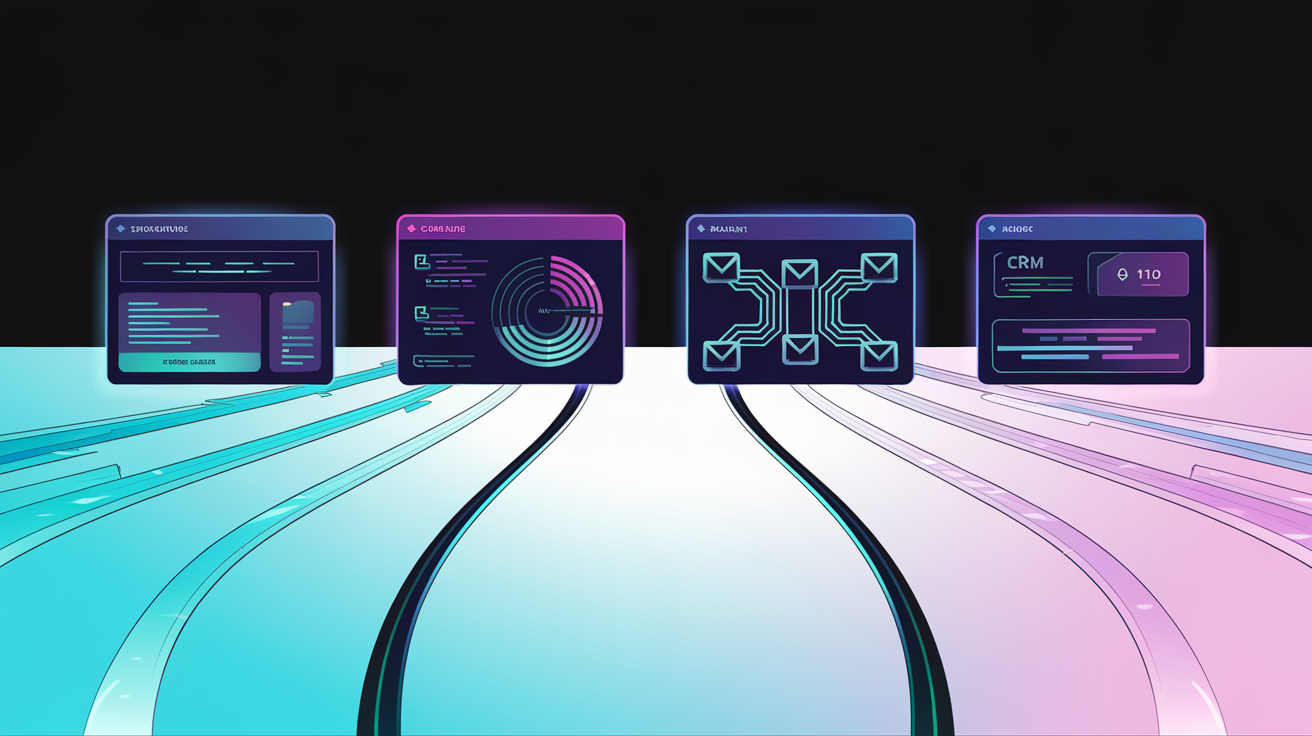
A complete system has four connected stages: inbound capture → lead scoring → nurture routing → CRM handoff.
Most small businesses have one or two of these stages in place. They have a form. Maybe they have an email sequence. But the stages aren't connected — data doesn't flow from one to the next, scoring logic doesn't exist, and the nurture track is the same for every lead regardless of fit or intent. That's not a pipeline. That's a leaky bucket.
Treating your AI tools as a connected operating system is the shift that makes the difference. The value is not in any individual tool. It's in the logic layer that ties all four stages together into a self-running loop.
Concrete example: a 3-person B2B services firm gets a form fill from a VP of Operations at a 40-person manufacturing company. Within seconds, that lead is scored, tagged as hot, dropped into a CRM deal record, and sent a short personalized sequence about the firm's manufacturing case studies — while the owner gets a Slack notification and a Calendly link fires automatically. Zero human intervention until the meeting is on the calendar.
That's buildable today. The technology is accessible. The setup time is real — expect 4–8 weeks for a proper v1 — but the ongoing time cost drops to near zero once it's running.
Stage 1 — Inbound Lead Capture That Actually Collects Useful Data
Most capture forms collect name and email and nothing useful. That leaves the scoring layer with nothing to work with.
Design your intake to capture intent signals:
- What specific problem is the prospect trying to solve
- What timeline are they working with
- Budget range (even a loose bracket)
- What triggered the inquiry — referral, search, ad, content
- Company size and role (if B2B)
Tools that work here:
- Typeform — best UX for multi-step intake flows, slightly more expensive
- Tally — free tier is genuinely good, more flexible on data structure
- Custom-built intake flows — highest data flexibility, requires a developer or a no-code build
Add behavioral capture alongside form data: page visit history, time on site, traffic source. This feeds the scoring model directly. A lead who visited your pricing page three times before filling out a form is different from one who landed on your homepage and immediately converted — and your system needs to know that.
Website chat and AI chatbots serve as a secondary capture layer. Use them for qualification, not just engagement. A well-configured bot can ask the same intent questions your form does, route to the right sequence, and log everything to your CRM — without a human in the loop.
The output of Stage 1 is a structured lead record with enough signal to make a scoring decision. If you're not getting that, fix capture before touching anything else. Connect capture directly to your central data store or CRM in real time. Batch exports kill pipeline velocity.
Stage 2 — How Does Automated Lead Scoring Work for Small Businesses?
Automated lead scoring assigns numeric values to lead attributes and behaviors to predict fit and buying intent — without requiring a data science team or enterprise software contract.
Lead scoring is the layer most small businesses skip entirely, which means every lead gets the same follow-up regardless of whether they're a perfect fit who's ready to buy or a poor fit who's just browsing. That's wasted time in both directions.
Two scoring dimensions every SMB needs:
- Fit score — does this lead match your Ideal Customer Profile?
- Intent score — are they showing buying signals right now?
Building a simple fit score:
Assign point values to firmographic and demographic fields captured at intake. A B2B example:
- Target industry: +15 points
- Decision-maker title (VP, Director, Owner): +20 points
- Company size in ICP range: +15 points
- Use case matches your core offer: +20 points
Building a behavioral intent score:
- Pricing page visit: +25 points
- Case study download: +15 points
- Email open: +5 points
- Repeat site visit within 7 days: +20 points
- Booked a discovery call page visit without booking: +10 points
Note that your data has to be structured before scoring logic can work. Garbage intake = meaningless scores.
Tools that make this accessible:
- HubSpot Starter ($20/month) — native scoring, solid enough for most SMBs under 500 leads/month
- Close.io — better for high-velocity sales processes
- Make or n8n with a custom scoring model — full control, no per-contact pricing ceiling
Companies using marketing automation to nurture leads see a 451% increase in qualified leads. That number doesn't come from having better leads — it comes from having a scoring system that tells you which leads to prioritize and which to put in a long-game track.
Rule-based scoring (point values you assign manually) is enough for most SMBs under a few hundred leads per month. AI-based scoring (a model that learns from historical conversion data) pays off at higher volumes or in complex multi-touch sales cycles.
The output of Stage 2 is a numeric score or tier — hot, warm, cold — that triggers different downstream automation. Not a vanity metric. An action trigger. You should also set up automated reporting on your pipeline performance so you can see whether your scoring weights are actually predicting conversion.
Common scoring mistakes:
- Scoring on job title alone, ignoring behavior
- Never recalibrating weights after you have conversion data
- Treating all form fills as equal regardless of traffic source
Stage 3 — Nurture Routing Based on Score, Not a Spray Schedule
Segmented email campaigns drive 30% more opens and 50% higher click rates than non-targeted batches. Generic drip sequences don't just underperform — they actively burn your list. A cold lead and a hot lead should never receive the same email.
Score-based routing sends each lead into a different track automatically based on where they landed in Stage 2.
Hot leads (high fit + high intent):
- Immediate trigger: personal outreach email, Calendly link, or automated call task
- Short sequence — 3–5 touchpoints focused on booking, not educating
- No educational content needed; they already know they want what you offer
Warm leads (good fit, low intent):
- Educational nurture track: case studies, objection-handling content, social proof
- 2–4 week cadence, not daily
- Re-scoring logic running in the background — key engagement events bump them to hot
Cold leads (low fit or unclear intent):
- Low-touch, long-game sequence or a disqualification branch
- Not worth burning your hot-lead follow-up time on
- Monthly check-in at most; automated
Building the routing logic:
Use conditional branches in your automation tool based on score field values, not manual tagging. When a lead hits a score threshold, the system reads that value and routes accordingly — no human decision required.
AI personalization in nurture emails:
This is not mail merge. It's conditional content blocks: if the lead indicated a specific problem at intake, the email references that problem. If they're in healthcare, the case study featured is a healthcare client. The intake data captured in Stage 1 powers this directly.
Re-scoring triggers: Define which engagement events should bump a warm lead to hot and kick off the sales-ready workflow. An email click is worth a few points. Visiting the pricing page again is worth more. Opening three emails in five days is a signal worth acting on.
Tools:
- ActiveCampaign — best-in-class conditional logic for B2B nurture, reasonable pricing
- Klaviyo — better for B2C or e-commerce-adjacent flows
- HubSpot — handles all of this natively if you're already in that ecosystem
- n8n or Make connected to any email provider — maximum flexibility, higher build complexity
Stage 4 — CRM Handoff That Doesn't Lose the Context
The handoff from automation to human is where most systems break. The lead arrives in the CRM with no score, no history, no context — just a name and email — and the owner or rep spends 15 minutes reconstructing who this person is before they can have an intelligent conversation.
What a proper handoff record contains:
- Lead score (current) and tier
- Source and original traffic channel
- Intake answers verbatim
- Pages visited and in what order
- Emails opened and links clicked
- Content downloaded
- Time in pipeline since first touch
Automating the CRM task creation:
When a lead hits the sales-ready threshold, the automation platform auto-creates a CRM deal, populates all fields from the lead record, and notifies the owner or assigned rep. For solopreneurs, that notification is essentially alerting yourself — but the structured record still saves 10–15 minutes of research per lead, which adds up fast.
You can automate your sales follow-up entirely at this stage, including triggering a Calendly or Cal.com booking link automatically when a lead hits hot status, with pre-populated context sent to both parties so the call starts informed.
And once the lead converts, you'll want systems on the other side of that handoff too — automate what happens after the lead converts so no ball gets dropped at the onboarding stage either.
Choosing a CRM:
- HubSpot — deepest native automation, most integrations, free tier is workable
- Pipedrive — cleaner UX for linear sales processes, good API
- Attio — newer, excellent data modeling, better for complex relationship tracking
Avoid over-complicated CRM setups. For most SMBs, a clean five-stage pipeline with automated record creation beats an $800/month enterprise setup they'll never maintain.
The Automation Stack: What to Use and How It Connects
The tools above don't talk to each other without an orchestration layer. That's the connective tissue — and it's where most SMB builds fall apart.
The core stack:
One capture tool → one automation platform → one CRM → one email platform. That's it.
The data flow:
Capture form fires a webhook → automation platform receives the payload → scoring logic runs → lead record created in CRM with score populated → routing branch executes → correct email sequence triggered → re-score logic monitors engagement → handoff task fires when threshold is met.
Automation platform decision: Zapier, Make, and n8n each have meaningful tradeoffs.
- Zapier — fastest to configure, best native integrations, more expensive at volume
- Make — better cost-efficiency at moderate complexity, more powerful conditional logic
- n8n — full control, self-hostable, lowest ongoing cost, steepest learning curve
All three can build this system. The right choice depends on your technical comfort level and expected lead volume.
Estimated monthly stack cost:
- Budget stack: Tally (free) + HubSpot Starter ($20) + ActiveCampaign ($29) + Make ($9–16) = under $75/month
- Mid-tier stack with more automation depth: HubSpot Pro + n8n cloud + custom scoring logic = $150–300/month
For higher volume or unusual workflows, when a custom-built scoring engine beats an off-the-shelf SaaS tool is a decision worth evaluating — custom logic pays for itself quickly when you're no longer constrained by per-contact pricing or platform limitations.
Time to build a functional v1: An experienced builder can have this running in 2–3 weeks. A first-time builder should expect 6–8 weeks including testing.
Common Build Mistakes That Kill the System Before It Helps You
These are the failure patterns that explain why disconnected AI tools fail to produce results:
- Building the nurture sequence before fixing the intake form. Garbage data in, useless scores out. Fix capture first.
- Setting up tools without connecting them. Five disconnected platforms is not a system. It's overhead.
- Scoring on fields you don't actually collect. Design your scoring model before you finalize your intake form, not after.
- Skipping re-score logic. A lead that goes cold in week two and re-engages in week six is a hot lead again. Your system needs to recognize that.
- Building complexity you can't maintain. A system requiring constant manual intervention defeats the entire point.
- Not defining "sales-ready" before building. If you can't describe what a hot lead looks like in concrete, measurable terms, you cannot automate the handoff.
- Treating this as a set-and-forget build. Scoring weights and sequence content need a quarterly review as you learn what actually converts.
What Does It Actually Cost to Build and Run This System?
A functional AI lead gen pipeline costs between $50 and $300 per month in tooling, depending on the stack. This is not a $2,000/month enterprise commitment.
What a proper build actually costs in 2026:
- DIY build cost: 40–80 hours, mostly in logic design and testing
- Professionally built: A one-time scoped project — not an ongoing retainer. A competent build partner prices this as a defined deliverable.
76% of companies that use automation generate positive ROI within the first year. For most B2B service businesses, the system pays for itself the moment it converts one additional lead per month that would otherwise have gone cold from slow follow-up.
The hidden cost most founders ignore is their own time. A founder spending 5 hours a week on manual lead follow-up is spending $15–25K/year of their own time at any reasonable hourly rate. Marketing automation drives a 14.5% increase in sales productivity and a 12.2% reduction in marketing overhead — and those numbers are based on teams that built proper systems, not teams with five disconnected tools and no scoring logic.
For small businesses with limited budgets and no IT department, this stack is also a lean AI setup that replaces your first hire — doing the qualification, routing, and follow-up work that would otherwise require a part-time coordinator.
When Should You Build This Yourself vs. Bring in a Partner?
Build it yourself if:
- You have a technical co-founder or you're genuinely comfortable in no-code tools
- You're under 20 leads per month and the sales process is linear
- You have 40+ hours to invest in learning the stack and testing edge cases
Bring in a partner if:
- Your time is worth more than the build cost
- Your pipeline is complex, multi-source, or has unusual routing requirements
- You've already tried to build this and it's not working
- You need it running in weeks, not months
What to look for in a build partner:
- They ask about your sales process before talking about tools
- They deliver a documented system, not just a configured platform
- They can explain the logic of every automation step in plain language
Red flags:
- Vendors who lead with a specific tool before understanding your workflow
- Anyone who promises results without first asking about data quality
- Cheap build quotes that skip testing and documentation entirely
The middle path — have a partner build v1, then own and maintain it yourself — is often the right answer for founders who want control but can't afford the initial time sink.
Build This Right, Once — Not Three Times With Different Tools
The four-stage system: capture with intent data, score on fit and behavior, route by tier, hand off with full context.
The principle that holds it together: this is a connected system, not a stack of tools. The value lives in the logic layer. A form, a CRM, and an email tool sitting in isolation produce nothing. The same tools connected through deliberate scoring and routing logic produce a pipeline that runs while you sleep.
78% of buyers choose the first company that responds, regardless of price or brand. The businesses that win aren't the ones with the biggest marketing budgets. They're the ones that respond faster, qualify better, and never let a warm lead go cold because someone was in a meeting.
This is buildable for a 1-person business. The technology is there. The question is whether you have the time and expertise to wire it together properly — or whether it's worth working with someone who builds these systems every day.
Work With Us
If this pipeline is costing you time or money — slow follow-up, unscored leads, no nurture, broken handoffs — this is exactly what we build.
DioGenerations builds AI systems and automation for small and mid-sized businesses. One team. No fluff. We scope the system properly, build it to run without you, and document everything so you own it.
If you want it done right and running fast, get in touch to have this built properly.