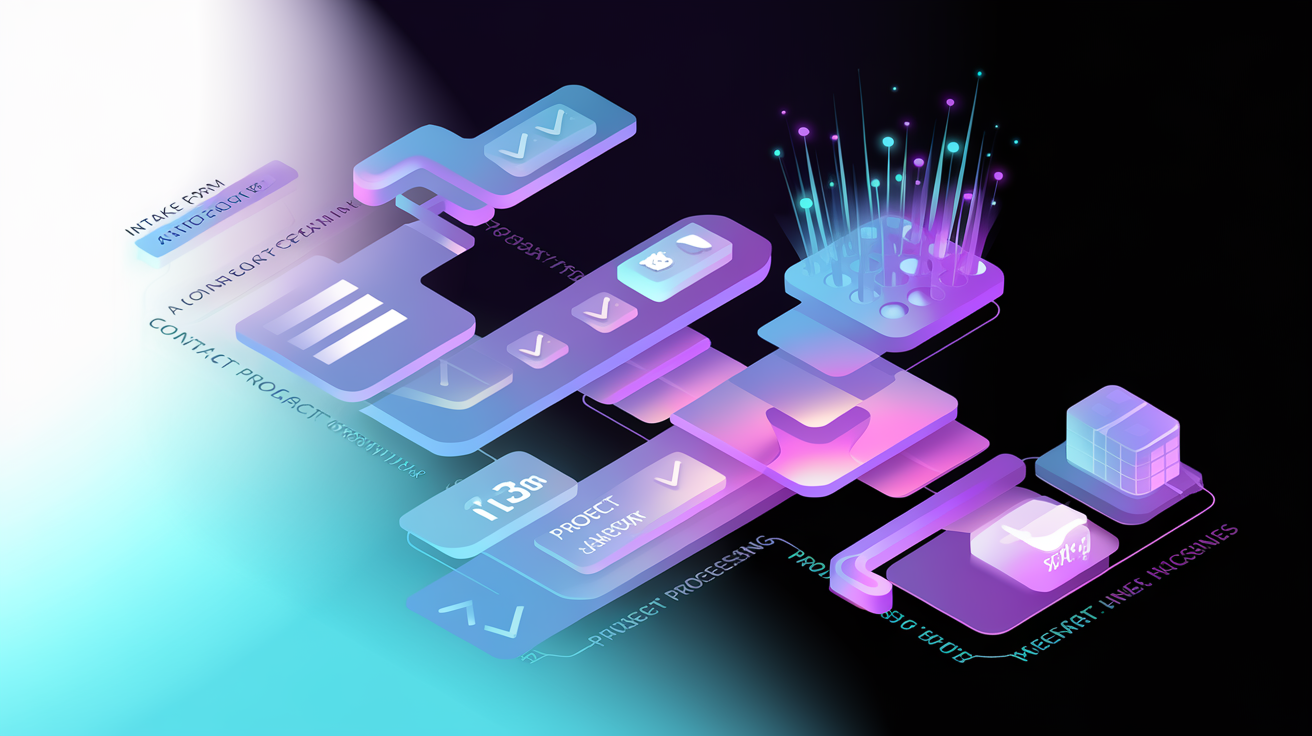
Automate Your Client Onboarding End-to-End
Client onboarding automation is the practice of connecting lead capture, contracts, payments, and project setup into a single automated workflow — so each step triggers the next without manual intervention. For solopreneurs and small-to-mid-sized service businesses, it means a new client can go from filling out a form to receiving their welcome assets and kickoff invite without a human touching a single keyboard in between.
If you are still sending intake emails by hand, chasing DocuSign links, and manually creating project folders, you are paying a recurring operational tax on every client you close. Here is how to stop.
The Real Cost of a Manual Onboarding Process
Most service businesses underestimate what manual onboarding actually costs. The hours add up fast — intake emails, contract chasing, payment follow-ups, folder creation, kickoff scheduling. Across a full client onboarding cycle, that is a material chunk of billable time spent on administration that could run itself.
The hidden cost is not just the hours. It is inconsistency. Every manual handoff is a place where something gets dropped, delayed, or forgotten — and a slow, disjointed onboarding undercuts the premium price point you are trying to hold. 74% of prospective clients will choose alternative options if the onboarding process is difficult. The first impression you make after a deal is signed sets the tone for the entire engagement.
The "good enough" trap looks like this: Calendly for scheduling, DocuSign for contracts, Stripe for payments, a spreadsheet for tracking, and a project tool that nobody updates. Each tool works. None of them talk to each other. A human is manually bridging every gap. 40% of firms cite data silos as barriers to effective automation, according to Pipefy's 2025 business automation guide.
In 2026, the businesses pulling ahead are not the ones using more tools — they are the ones whose tools trigger the next step automatically. In 2025, automation has moved from experimental technology to a business necessity, with 60% of companies already investing in automation solutions. The opportunity is clear: one properly connected onboarding system pays for itself in the first month and compounds from there.
What a Connected Onboarding System Actually Looks Like
A connected onboarding system routes a new client from first contact to active project through a single automated chain: Lead captured → Qualifying information collected → Proposal or agreement sent → Contract signed → Payment collected → Project workspace created → Kickoff scheduled → Welcome assets delivered → Internal team notified.
The key word is "connected." Each step triggers the next automatically without a human manually moving data between tools. This is the difference between a connected system and a stack of integrations — a real system has a single source of truth, not five apps that half-sync.
From the client's perspective: they fill out one form, sign one document, pay once, and receive everything they need to get started — often within minutes. From the owner's perspective: a new client moves from lead to active project with zero manual data entry. That is the standard worth building to.
The Five Stages You Need to Automate (and What Breaks at Each One)
Most breakdowns in onboarding happen at the handoff between stages — where a human was supposed to take action and did not. Here is what each stage should look like and where it typically fails:
Stage 1 — Lead Capture and Qualification An intake form collects the right information upfront. AI or logic-based routing qualifies or segments the lead before anyone picks up the phone. No more back-and-forth discovery emails consuming three days before you even know if someone is a fit.
Stage 2 — Proposal and Agreement A proposal or service agreement is auto-generated and populated from the intake data, then sent for e-signature — no manual document prep. Status is tracked automatically. The failure point here is usually a human who was supposed to "write up the proposal" and did not get to it until Tuesday.
Stage 3 — Payment Collection A payment link fires automatically upon signature. Failed payment handling and reminders are built into the flow. Revenue is recorded without manual invoicing. The common break: someone sends the invoice "when they have a moment" — which means cash collection lags by days.
Stage 4 — Project Setup and Delivery Infrastructure Client folder created. Project management record opened from a template. Relevant assets and documents populated. All of it triggered by payment confirmation, not by someone remembering to do it.
Stage 5 — Kickoff and Welcome Sequence An automated welcome email with clear next steps goes out immediately. The kickoff call is scheduled against real availability. Onboarding assets or access credentials are delivered in the right order. The failure point here is usually the gap between payment and first contact — which in a manual process can stretch to 48–72 hours.
Choosing the Right Tools for Each Layer
The right tool question is not "which tool is best?" — it is "can these tools be reliably connected?" Before adding anything new, audit your current tool stack before adding more and how to evaluate AI tools without getting distracted by features.
Here is how to think about each layer:
- Intake layer: Typeform or Tally for most businesses. If you need complex conditional branching and logic-based qualification, a custom form is worth considering.
- Contract and e-signature layer: PandaDoc, HoneyBook, or Dubsado for packaged service businesses. DocuSign or native CRM contract tools for higher-volume or more complex agreements.
- Payment layer: Stripe is the default for flexibility and developer-friendliness. HoneyBook and Dubsado bundle payments for simpler, all-in-one setups.
- Automation and logic layer: Make, n8n, or Zapier handle the connective tissue between tools. This is where the system is actually built — choose based on complexity, volume, and whether you want to own the infrastructure.
- Project management layer: ClickUp, Notion, Asana, or a custom build. What matters is that records are created automatically, not manually — by a human copying data from one place to another.
- CRM layer: HubSpot, Pipedrive, or a lightweight alternative. This must be the single source of truth that all client data flows into. No exceptions.
Zapier, Make, or n8n: Which Should Power Your Onboarding Automation?
The automation layer is the foundation everything else runs on. Choosing it based on cost alone is the wrong frame. Here is an honest breakdown — for a deeper comparison, read which automation platform fits your business.
Zapier Lowest barrier to entry. Best for simple, linear workflows. Gets expensive fast at volume. Limited flexibility when conditional logic spans multiple branches or service types. A good starting point, not a permanent foundation for a growing operation.
Make (formerly Integromat) Better visual workflow builder. Handles more complex logic. More cost-efficient at scale. Moderate learning curve — but manageable for a non-developer who is willing to invest a few hours. For most service businesses running 10–50 clients per month, Make hits the right balance of power and practicality.
n8n Self-hostable. Most flexible. Best for businesses that want to own their infrastructure and handle sensitive client data without third-party exposure. Highest setup investment — but for businesses with compliance considerations or high data sensitivity, the self-hosted option is worth the additional build cost.
29% of small business owners are prioritizing automation specifically to reduce the risk of burnout — and the automation tool is not where you should be making cost-cutting decisions. It is the nervous system of the whole workflow.
Where AI Actually Fits In This Workflow
AI is not the whole system. It is a layer that handles specific tasks that would otherwise require human judgment or manual writing. If you want the full picture on this, see what AI agents actually are and where they earn their place and AI tools that handle operational work for under $150 per month.
Practical AI use cases inside an onboarding workflow:
- Summarizing intake responses into a project brief before the owner reviews the lead
- Drafting a customized welcome email based on client answers, ready to send or approve
- Flagging incomplete or inconsistent intake data before it hits the next stage
- Generating a tailored project timeline from a standard template based on scope inputs
For higher-volume operations, an AI agent can review a new intake submission, categorize the client, select the right onboarding track, and trigger the appropriate document — all without human intervention. Companies see a 330% ROI over three years from intelligent automation, with payback in less than six months — which makes the case for integrating AI at the right points in the workflow.
What AI should not be doing: making final decisions on contract terms, handling payment disputes, or replacing the human touchpoint entirely for high-ticket engagements. The goal is not to remove the human. It is to make sure the human only shows up where their judgment is actually required.
A Real Workflow Example: From Lead Form to Kickoff in Under 24 Hours
Here is what a fully automated onboarding flow looks like in practice for a consulting, agency, or professional services business:
- Prospect fills out the intake form on the website — service type, timeline, budget range, specific goals.
- Make or n8n fires — data lands in the CRM, lead is scored or categorized by service tier, Slack notification sent to the owner.
- Proposal auto-generated and populated with intake data, sent via PandaDoc for e-signature.
- On signature: Stripe payment link triggers, contract status updates in CRM automatically.
- On payment confirmation: ClickUp project created from template, client folder spun up in Google Drive, client added to relevant tools with appropriate permissions.
- Welcome email sequence initiates — first email delivers login credentials and onboarding doc, second schedules the kickoff call via Calendly integration.
- Owner receives a single summary notification: new client onboarded, project live, kickoff scheduled.
Total human time involved: reviewing the initial intake and showing up to the kickoff call.
What is not included in this workflow: manually sending emails, copying data between tools, chasing signatures, creating folders, or remembering to follow up.
The Data Foundation You Need Before You Build This
Automation only works cleanly when your data is clean. Garbage in, garbage out applies here more than anywhere. Only 16% of RevOps professionals trust their data accuracy, identifying this as the single biggest blocker to automation maturity, according to Marketingops's 2025 study. Build on a shaky foundation and you will automate a broken process — which just makes the mess move faster.
Before you build anything, fix your data before you automate. Concretely, that means:
- Map every field you need to collect at intake and confirm which tool owns that field as the source of truth
- Establish consistent naming conventions across all tools in the chain
- Resolve duplicate client records in your CRM before connecting it to anything
- Define exactly what a "new client" trigger means — what event fires the automation
Client records need a unique identifier that passes through every tool in the chain — usually email address, but sometimes a CRM ID. Get this right before you write a single automation step.
Build It Yourself or Have It Built: Honest Breakdown
DIY is viable if: you have the time to learn Make or n8n, you can tolerate iteration and debugging, and your workflow is relatively linear with a single service type.
DIY is not viable if: your onboarding has conditional logic across multiple service tiers, you have compliance or data sensitivity requirements, or your time is worth more than the build cost. Small teams and solopreneurs without a dedicated ops person rarely have the bandwidth to build, test, and maintain this properly.
What a custom build includes that a DIY attempt usually misses:
- Error handling and failure notifications so you know when something breaks before a client notices
- Monitoring so the system is observable, not a black box
- Documentation so the workflow is maintainable six months later
- Testing across edge cases — the odd service package, the international client, the payment that fails on day one
On cost: a well-built onboarding automation system runs $1,500–$5,000 depending on complexity — see what a custom build actually costs in 2026 and how to decide whether to build or buy for the full breakdown. Most businesses see full automation ROI within 3 to 6 months, and simple workflow automations can go live in 2 to 3 weeks.
The wrong question: "Can I find someone cheaper to do this?" The right question: "What is this workflow costing me every month, and how fast does a proper build pay for itself?"
What to Measure Once Your System Is Live
Once your automated onboarding is running, track these metrics — and use a dashboard that surfaces what matters once your system is running to keep everything visible:
- Time-to-onboard: Hours or days from signed contract to active project. This should drop significantly after automation.
- Manual touchpoints per client: How many times a human intervenes in the onboarding flow. The goal is to reduce this to only high-value interactions.
- Drop-off rate at each stage: Where are prospects falling out — contract stage, payment stage? Automation often surfaces friction that was previously invisible.
- Error rate: How often does the automation fail, send incorrect data, or require manual correction. A well-built system should run at near-zero errors.
- Client satisfaction at kickoff: A smoother onboarding directly affects how clients feel about the engagement from day one. Companies using automated onboarding workflows reduce churn by 25%, according to UserGuiding. That shows up in retention and referrals — compounding returns long after the build cost is recovered.
The Practical Starting Point: Don't Automate Everything at Once
The fastest way to stall is to try to automate everything simultaneously. Build in sequence:
- Start with the single highest-friction handoff in your current process. For most service businesses, that is the gap between signed contract and project kickoff.
- Automate one stage completely before moving to the next. Partial automation of five stages is worse than full automation of two.
- Document your current manual process first. You cannot automate what you have not mapped.
- Run the automated flow in parallel with your manual process for the first 5–10 clients. Catch edge cases before they become client-facing problems.
- Once one stage is solid, the next is faster to build — because the data is already flowing correctly.
WorkMarket reports that employees estimate a potential time saving of 240 hours per year through task automation, while business leaders estimate 360 hours. That is the ceiling you are working toward, one stage at a time.
Ready to Stop Onboarding Clients Manually
A properly connected client onboarding automation system turns your most time-intensive workflow into one that runs without you. Not because the human relationship is removed — but because humans are only doing what humans need to do.
If you are running the same manual steps for every new client, you are paying a tax on your own growth every time you close a deal. That tax compounds. Every new client adds another round of intake emails, contract chasing, and folder creation — and at some point, the operational drag limits how fast you can actually grow.
The path forward is straightforward: audit your current onboarding, identify the highest-friction stage, and build the first automated handoff this month. Not next quarter.
DioGenerations builds connected AI and automation systems for service businesses that are serious about removing operational drag — not experimenting, building. If this workflow is costing you time or money, talk to us about building your onboarding system. We scope, build, and hand off systems that run — with the documentation and error handling to keep them running. ```