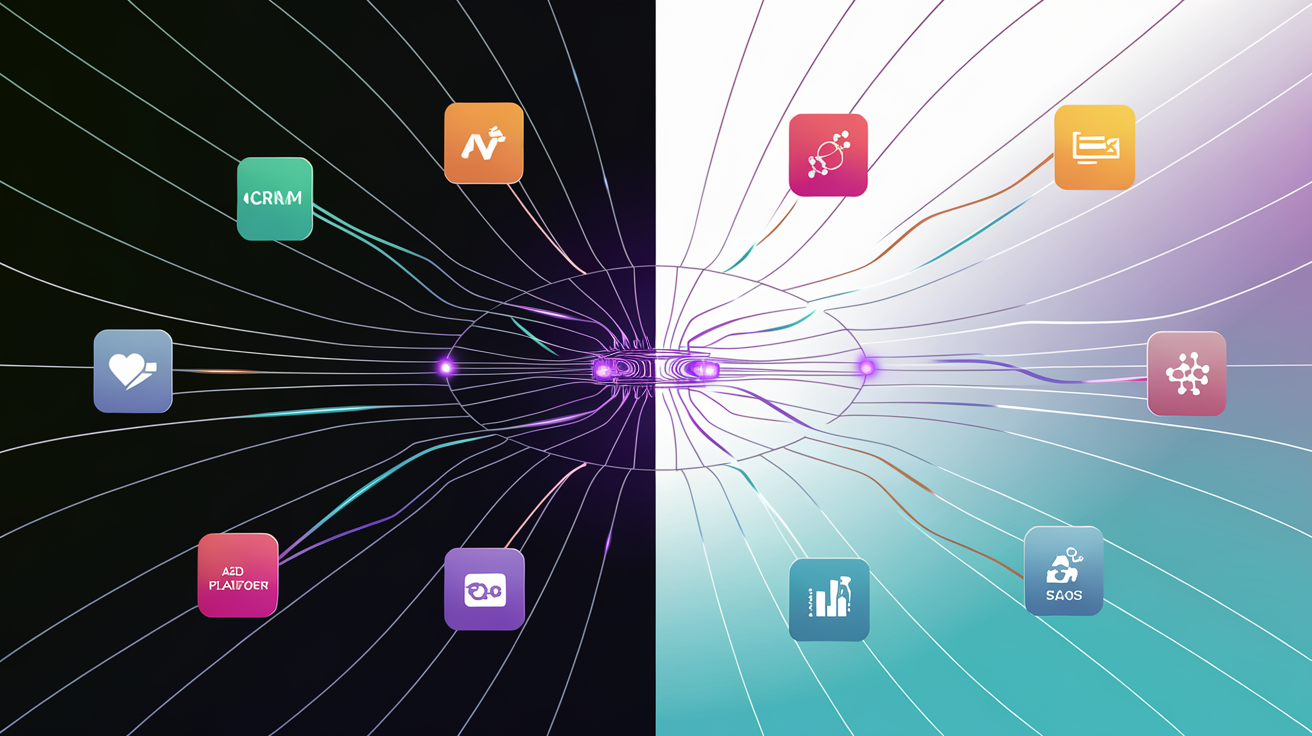
Stop Flying Blind: One Data System for SMBs
How to connect your CRM, ads, revenue, and ops data into a single system that tells you what to actually do — no analyst required.
A unified data system for small business is a practical architecture that pulls data from your existing tools, centralizes it in one place, and surfaces the specific answers your business decisions actually require. It is not a data warehouse project, a six-figure BI engagement, or something only enterprise companies can afford. It is the difference between running your business on evidence and running it on memory.
The Real Cost of Running on Scattered Data
Most solopreneurs and small business owners are making significant financial decisions based on gut feel and half-remembered notes from three different tools. That is not a criticism — it is the natural result of how modern business software is sold and adopted.
Small businesses use an average of 72 SaaS applications in 2025. Each one holds a fragment of your business picture. Your CRM holds lead data. Your ad platform holds spend data. Your payment processor holds revenue. None of them know about each other, and you are the one trying to hold the full picture in your head.
Fragmented data is not just an inconvenience. Data silos cost organizations an estimated $7.8 million annually in lost productivity, with employees wasting 12 hours weekly searching for information across disconnected systems — and that is a large-company figure. For a solopreneur or a 10-person team, the version of that cost is more personal: hours each week pulling reports manually, ad spend misallocated because attribution was unclear, and decisions delayed because the number you need is in a tool you have to log into separately.
This is not a tool problem. You already have the tools. It is an architecture problem — and it is fixable without hiring a data team.
Why Your Tools Do Not Talk to Each Other (And Why That Matters Now)
SaaS platforms are built to be sticky, not interoperable. Every platform wants to be your dashboard, not a data source feeding a bigger picture. That incentive structure is baked into how they are designed, priced, and reported on.
The result is that your CRM knows about leads, your ad platform knows about spend, your payment processor knows about revenue, and none of them know about each other. What you lose when data stays siloed is everything that lives between those systems: true customer acquisition cost, lifetime value by channel, pipeline-to-revenue lag, and which operational bottlenecks are actually costing you money.
47% of martech decision-makers cite stack complexity and system integration as the key blockers to extracting value from their tools (McKinsey, 2025). And data integration difficulties plague 65.7% of organizations, according to Ascend2/MarTech.org (2025). These are not fringe problems — they are the default state for most businesses running modern tool stacks.
The AI angle makes this more urgent, not less. Gartner predicts that through 2026, organizations will abandon 60% of AI projects unsupported by AI-ready data. The gap between businesses with clean, unified data and those without is widening fast. 45% of companies report that fragmented, unstructured data is the biggest roadblock to AI success — and companies are not struggling with AI capabilities, they are struggling with the data feeding it.
Disconnected tools are not just an ops nuisance. They are why most AI tools underdeliver for small businesses.
What Is a Unified Data System for Small Business?
A unified data system is a practical architecture built around how your business actually runs. It is not a data warehouse, a BI platform, or a six-month consulting engagement.
It has three core layers:
- Data collection — pulling from your existing tools automatically, on a schedule or in real time
- Data centralization — a single place where records from different tools are normalized, stored, and related to each other
- Data surfacing — dashboards, alerts, or reports that answer real questions without you having to dig
The goal is not to see everything. It is to surface the decisions that matter: where to spend, where to cut, what is working, what is breaking. For a solopreneur, this might be a single automated dashboard connecting Stripe, a CRM, and Google Ads. For a 20-person team, it might include ops data, support ticket volume, and sales pipeline health alongside revenue and marketing data.
The system should answer questions you are already asking. It should not create new ones.
The right principle: start with your highest-stakes decisions and build the data architecture around those — not around what is technically possible to collect.
What Data Sources Do SMBs Actually Need to Connect?
You do not need to connect everything on day one. Identify which two or three sources, if connected, would change your decisions immediately. The most common candidates:
- CRM data — pipeline stage, lead source, conversion rate, deal velocity. Most CRMs hold this but surface it in ways that make cross-system analysis impossible without manual export.
- Paid advertising — spend, clicks, cost per lead by campaign. Platforms like Google Ads and Meta give you raw numbers but not the cross-channel story you need to make allocation decisions.
- Revenue and payments — Stripe, QuickBooks, or similar. Actual cash in, by product, by customer, by month. This is the number everything else should trace back to.
- Email and outreach — open rates, reply rates, booked calls. Leading indicators of pipeline health that most businesses track in isolation.
- Operations — project management tools, support tickets, team capacity. This tells you where delivery is breaking before clients notice.
- Website and content — traffic sources, conversion paths. Closes the loop between marketing effort and business outcome.
When these sources are connected, you can build an AI-driven lead generation system that runs on clean data — but only after the foundation exists.
Three Approaches to Building Your Unified System (Ranked by Fit)
There is no single right answer here. The right build depends on your data volume, the complexity of your business logic, and how fast your tool stack changes. Here are the three realistic options, in order of how often SMBs should reach for them.
Option 1 — Automation-Based Integration (Best for Most SMBs)
Use tools like Make, n8n, or Zapier to pipe data from your SaaS stack into a central database or structured spreadsheet layer, then build reports on top. This is the fastest to deploy, lowest in cost, and right for businesses running two to ten core tools.
See also: choosing the right automation tool for your stack and automated reporting without a BI team.
| Option 1: Automation Layer | Option 2: Lightweight Data Warehouse | Option 3: Custom-Built System | |
|---|---|---|---|
| Setup time | Days to weeks | 2–6 weeks | 4–12 weeks |
| Maintenance burden | Low–Medium | Medium | Low (once built) |
| Flexibility | Moderate | Moderate–High | High |
| Cost | Low | Low–Medium | Medium–High (one-time) |
| Best fit | 1–10 person teams | Growing SMBs with higher data volume | Businesses with complex logic or rapid tool change |
Option 2 — Lightweight Data Warehouse With a Reporting Layer
Pull data into something like Airtable, a Notion database, or a lightweight Postgres instance, then surface it via a reporting tool. Better for businesses with higher data volume or more complex relationships between metrics — where flat spreadsheet structures start to break down.
Option 3 — Custom-Built Data System
When your business logic is complex enough that off-the-shelf connectors keep breaking or missing the point, a custom build pays for itself quickly. Built around your specific metrics, your specific decisions, your specific workflow — not the generic assumptions baked into SaaS connectors.
Most SMBs start with Option 1 and graduate to Option 3 when the duct-tape integrations start costing more time than they save.
How to Build Your Single Source of Truth: A Practical Starting Framework
No IT department required. No analyst needed. This is a framework small teams with limited budgets can execute.
- Audit your current tool stack. List every tool and the data it holds. Map each tool to the decisions it should be informing but probably is not.
- Define your 5–7 core business metrics. These are the numbers that, if you knew them at any moment, would tell you whether the business is healthy or not. Revenue run rate, lead-to-close rate, customer acquisition cost, and gross margin are common anchors.
- Identify the two or three data source connections with the highest immediate impact. Start there, not with the complete picture.
- Choose your centralization layer. For most SMBs starting out, this is a structured database or a well-architected spreadsheet with an automation layer feeding it.
- Build your surfacing layer. An automated daily or weekly report, a live dashboard, or a simple alert when a metric crosses a threshold. The format matters less than whether you will actually use it.
- Validate before you expand. Run the system for 30 days. Did it change any decisions? If yes, extend it. If no, figure out why before adding more complexity.
The common mistake to avoid: building the most complete data system instead of the most useful one.
What This Looks Like in Practice: A Real Business Scenario
A 5-person agency running HubSpot CRM, Google Ads, Stripe, and Asana for project management. No IT department. No data analyst. A team spending a few hours each week manually pulling numbers from four separate tools to answer basic business questions.
Before: Customer acquisition cost is unknown. Revenue per client channel is a guess. The team has no visibility into whether delivery capacity is aligned with pipeline growth — so they say yes to new work without knowing if they can deliver it.
After: An automated nightly sync pulls deal stage data from HubSpot, spend data from Google Ads, and payment data from Stripe into a centralized database. A weekly report surfaces CAC by channel, revenue per cohort, and pipeline coverage ratio. Automating sales follow-up and automating client onboarding end-to-end become viable once the data layer is in place.
Outcome: They cut one underperforming ad channel, caught a pricing problem in one service line, and stopped taking on new clients in a month where delivery capacity was already maxed.
None of those are complex insights. They were invisible before only because the data lived in three different tools that never talked to each other.
Where AI Fits Into a Unified Data System
Once your data is unified and clean, AI stops being a novelty and starts doing useful work. It can pattern-match across your metrics in ways that manual review will miss at scale.
Practical AI applications on top of unified data:
- Anomaly detection — flagging when a metric moves unusually, before you notice the downstream effect
- Natural language querying — asking your data a plain English question and getting a real answer, not a spreadsheet to interpret
- Predictive signals — revenue forecasting based on pipeline plus historical close rates
The order of operations matters. Data foundation first, AI layer second. AI is only as good as the data feeding it — and without structured, high-quality, well-governed data, AI only amplifies the chaos.
Gartner clearly states that even the most advanced AI cannot deliver valuable results from poor data (Gartner, Market Guide for Enterprise AI Search, September 2025). This is why most SMBs feel their AI investments are underdelivering — they skipped the data foundation step.
Make sure you fix your data foundation before you build on top of it. If you want to understand the full opportunity once the foundation is solid, see also building an AI operating system for your business.
Signs You Are Ready to Stop Building This Yourself
At some point, DIY data integration stops being scrappy and starts being a liability. Here is how to know when that line has been crossed:
- You have tried connecting tools manually and the integrations keep breaking or falling out of date
- Your business has grown to the point where data relationships are complex enough that general-purpose automation tools cannot model them correctly
- You are spending more than a few hours per week maintaining your reporting setup instead of using it
- You need the system to be reliable enough to base real financial decisions on — not just a nice-to-have dashboard
- The cost of a bad decision made on incomplete data now exceeds the cost of building the system properly
Nearly 60% of companies overspend on SaaS due to poor visibility into usage (XtendedView, 2025). That is what fragmented data costs at the operational level alone — before you even account for the strategic decisions made on incomplete information.
At this point, the question is not whether to invest in a proper data system. It is whether to spend months building it yourself or get it done in weeks with a team that has done it before. You may also want to consider when custom software makes more sense than another SaaS tool.
Build It Right Once, Stop Guessing Every Month
A unified data system for small business is not a luxury for companies with data teams. It is the foundation that makes every other decision faster and cheaper.
The solopreneurs and small business owners who move fastest are not the ones with the most tools. They are the ones who can see clearly what is working and act on it without a week of manual report-pulling. Limited budgets and small teams make that clarity more important — not less — because there is no margin to absorb decisions made on bad information.
You do not need a data analyst, a BI platform, or a six-figure infrastructure budget. You need a clean architecture built around the decisions your business actually makes.
DioGenerations builds these systems for solopreneurs through small-mid sized businesses — connected, automated, and built to surface real answers instead of more dashboards to stare at. If your data is scattered and your decisions feel slower than they should, that is the place to start.